

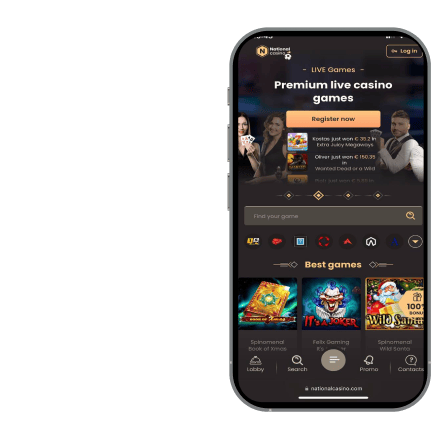
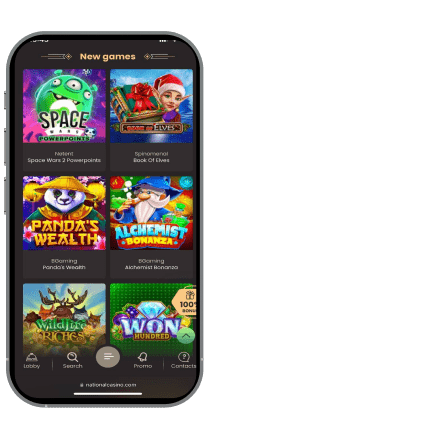


National Casino App for Android
The National Casino Android app is available as an APK file from the casino website. It works on supported mobile devices and has a download size of 90 MB. The installation takes up relatively little storage compared with many current gaming apps.
Unofficial APK websites should be avoided because their files may be:
- Outdated
- Modified
- Infected with unsafe software
Open National Casino in your browser and use the Android download page found there. Customers accessing the casino from Canada then receive the version distributed by the platform rather than a changed third-party file.
How to Download National Casino on Android?
Follow these steps to download the National Casino APK:
- Open the casino website in your preferred mobile browser.
- Find the Android app section.
- Click the download button.
- Wait for the 90 MB APK file to finish downloading.
- Read the installation instructions shown on the page.
Leave the browser open until the file has finished downloading. The instructions are useful if you have not installed an APK manually before.
How to Install the Android App?
Complete the National Casino installation as follows:
- Open the APK from the download notification or your Downloads folder.
- Allow installation from your browser if Android requests permission.
- Return to the APK installation screen.
- Tap Install.
- Wait until Android confirms that the installation is complete.
- Tap Open or launch the app from your home screen.
Afterward, you can remove the browser installation permission through the Android security settings. The browser will no longer have unnecessary permission to install other files.
National Casino Compatible Android Devices
The main Android compatibility requirements are shown below.
| Requirement | National Casino Android Specification |
|---|---|
| Supported devices | Android phones and Android tablets |
| Minimum operating system | Android 8 |
| APK download size | 90 MB |
| Recommended free space | More than 90 MB |
| Suitable connection | Wi-Fi, 4G, or 5G |
Leave additional storage for temporary files and future National Casino updates. Standard mobile data is generally enough for slots. Live dealer tables need a faster and more reliable connection because they use continuous video streams.
National Casino App for iOS
National Casino also provides an iOS installation option through its website. The current iOS version is 1.1.6, and the download size is 106.6 MB. The app supports compatible Apple mobile devices running iOS 17.4 or later.
Open the National Casino website on your device and use the approved iOS download option shown there. Avoid casino applications or configuration files from unrelated websites. When accessing the platform from Canada, this route connects the installation with the correct casino account environment.
How to Download National Casino on iOS?
Use the following process to download National Casino:
- Open Safari on your Apple device.
- Visit the National Casino website.
- Find the iOS app section.
- Click the available download option.
- Follow the instructions displayed by the device.
- Confirm the download when prompted.
Keep Safari open until you reach the final confirmation stage. National Casino version 1.1.6 requires 106.6 MB of storage before installation can begin.
How to Install the iOS App?
Complete the National Casino installation through the prompts shown on your device:
- Confirm the installation request.
- Wait for the app icon to appear on the home screen.
- Tap the National Casino icon.
- Allow the device to complete any initial verification.
- Keep the app open until the login screen appears.
Use a reliable connection during the first launch. Closing National Casino during verification may interrupt the process and force you to reopen it.
Compatible iPhone and iPad Devices
National Casino uses the following iOS compatibility requirements.
| Requirement | National Casino iOS Specification |
|---|---|
| Supported device types | iPhone and iPad |
| Minimum operating system | iOS 17.4 |
| Current app version | 1.1.6 |
| Download size | 106.6 MB |
| Suitable connection | Wi-Fi, 4G, or 5G |
A device must support iOS 17.4 and have enough available storage. Keep the operating system current through the device settings. Consistent internet performance is especially important for National Casino live tables and payment confirmation when using the service from Canada.
National Casino App Login Process
You can sign in to the National Casino app with the same account used on the desktop website or mobile browser. There is no need to create a separate mobile profile.
The login details are entered as follows.
| Login Field | Accepted Information |
|---|---|
| Account identifier | Registered email address or username |
| Password field | Current National Casino password |
Check each field carefully if the first attempt fails. Signing in from a smartphone may occasionally take more than one attempt. National Casino may also request identity verification or an additional security check before sensitive account actions.
After login, the following areas become available:
- Casino games
- Available bonuses
- Deposits and other payments
- Withdrawal requests
- Account settings
- 24/7 live chat
The National Casino mobile interface gives customers in the Canadian market almost the same account control available on desktop. Most routine actions can be completed without switching to a computer.
How National Casino App Updates Work
National Casino app updates may cover:
- New casino games
- Payment method changes
- Security fixes
- Loading improvements
- Interface corrections
- General performance improvements
Updates can also correct slow thumbnail loading or buttons that do not respond immediately to taps. Android versions should be downloaded from the National Casino website and installed over the existing app.
Your account remains tied to the same login details, so another registration is not normally needed. On iOS, follow the update process shown by National Casino or your device.
Do not accept update files from unofficial channels. A current version gives people using National Casino in Canada the latest available functions and fewer performance issues.
Advantages of the National Casino App
The National Casino app opens from the home screen. There is no need to launch a browser and enter the website address each time. The layout is clean, and the main sections remain easy to locate on smaller displays.
From the National Casino app, you can:
- Browse the complete casino lobby
- Open current bonus offers
- Make deposits
- Request withdrawals
- Change account settings
- Contact live chat
- Launch games from the home screen
The interface loads quickly, including on some older smartphones. Regular play is generally smooth, with few freezes or crashes.
National Casino also provides steady live casino streams and fast switching between dealer tables. Game thumbnails may occasionally load more slowly than the surrounding interface. Some buttons may need a second tap, but the main functions still work.
| Feature | National Casino App | Mobile Browser |
|---|---|---|
| Installation | Required | Not required |
| Home screen access | App icon | Browser shortcut |
| Game library | More than 1,000 games | More than 1,000 games |
| Bonuses | Available | Available |
| Deposits and withdrawals | Available | Available |
| Live chat | Available 24/7 | Available 24/7 |
| Updates | App update may be needed | Website updates apply automatically |
| Storage use | 90 MB on Android or 106.6 MB on iOS | Minimal local storage |
For frequent mobile play, the National Casino app is often more convenient. The browser remains useful when storage is limited or you prefer not to install additional software.
National Casino Mobile Games Library
National Casino offers more than 1,000 mobile games from 139 providers. The available categories include:
- Slots
- Live casino games
- Table games
- Roulette
- Blackjack
- Baccarat
- Instant games
- Tournaments
The same main categories appear in the mobile browser. Slots form a large part of the National Casino lobby, and the catalogue can be filtered by:
- Game category
- Provider
- Popularity
- Release date
These filters help you move through a library containing more than 1,000 titles. National Casino games usually open within a few seconds on a reliable connection.
The live casino section includes several common dealer formats:
- Roulette tables
- Blackjack tables
- Baccarat tables
- Other live dealer games
National Casino live games use real-time video streams. Moving from one table to another does not require repeated trips back to the main lobby.
Demo mode may be available for selected games. It lets you test basic mechanics without using real money. Availability depends on the title and your account status. Access to real-money National Casino services from Canada is limited to customers aged 18 or older.
National Casino Mobile App Security
National Casino uses protected login systems and encrypted data transfers to secure account information. Payments are processed through the casino account rather than through individual game providers. Check the website address before entering login or banking details.
KYC checks may require proof of identity, address information, or payment documents. National Casino uses these checks to confirm account ownership and meet anti-money laundering requirements. Verification can also be requested before a withdrawal is approved.
Protect your device with one of the available locking methods:
- Passcode
- Fingerprint recognition
- Facial recognition
Use a unique National Casino password and do not share it with anyone. Log out when using a shared device.
Avoid downloading the app from:
- Unofficial APK libraries
- File-sharing websites
- Links received through unknown messages
Get National Casino only through the casino website. This is particularly important when the same phone is used for casino payments and mobile banking in Canada.
National Casino Mobile Browser Alternative
You can use National Casino through a mobile browser without installing the app. Open the casino website in a current browser and sign in with your normal account details.
The mobile browser provides:
- More than 1,000 casino games
- Current bonuses
- Deposits
- Withdrawal requests
- Account settings
- Payment tools
- 24/7 live chat
The browser version works across supported Android and Apple mobile devices. It suits phones with limited storage and devices that cannot run the minimum app version.
National Casino updates the browser platform automatically, so separate update files are unnecessary. Customers accessing the casino from Canada can also create a home screen shortcut for quicker entry.
On many devices, browser performance is close to the app. National Casino pages load quickly, and live dealer tables remain steady with a reliable connection. The app launches faster from the home screen, while the browser provides the same main casino functions.
Updated: 07.08.2026